Private
Transcription and speaker finding run on your iPhone, iPad and Mac. No account, no analytics, no ads. Nothing is sent to any AI until you say so.
iPhone · iPad · Apple Watch · Mac
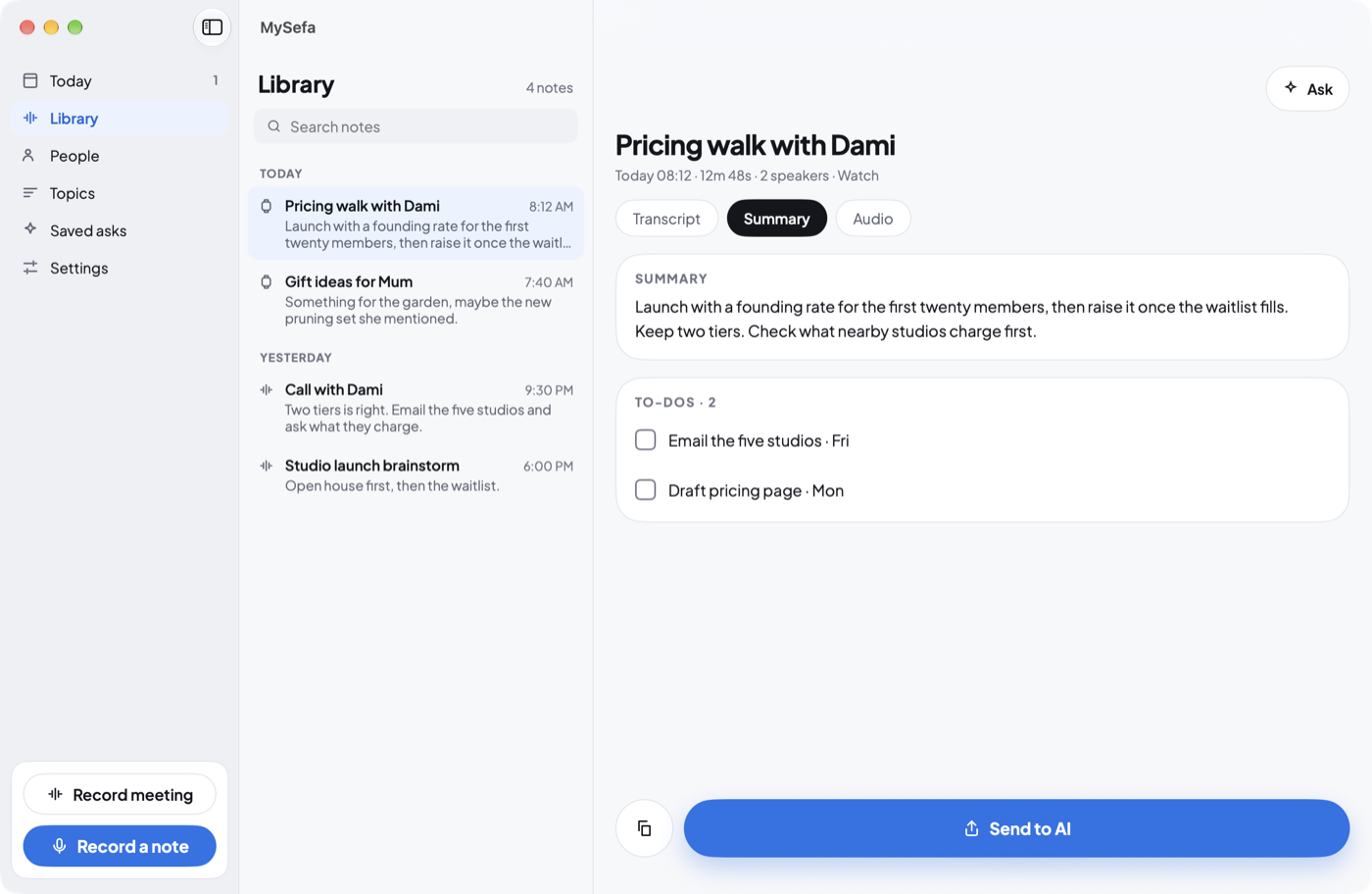
Say it on your wrist, your phone or your Mac. MySefa writes it down on the device, tells the voices apart and keeps the to-dos, the people and the promises — for years.
Free, no account. Works with Apple's on-device AI or your own key.
What we believe
Pay only if you need our inference.
Transcription and speaker finding run on your iPhone, iPad and Mac. No account, no analytics, no ads. Nothing is sent to any AI until you say so.
Notes live on your devices and sync through your private iCloud — never stored on our servers. Every year is also kept as plain Markdown and audio files you can open without the app.
Every feature works without a subscription: recording, transcripts, speakers, people, topics, to-dos. Use Apple's on-device AI, or bring your own OpenRouter, Anthropic or OpenAI key.
MySefa AI is one optional subscription: our models answer when you'd rather not manage a key. It buys convenience, never locked features.
How it works
No typing, no filing. Talk the way you think, and find it again whenever you need it.
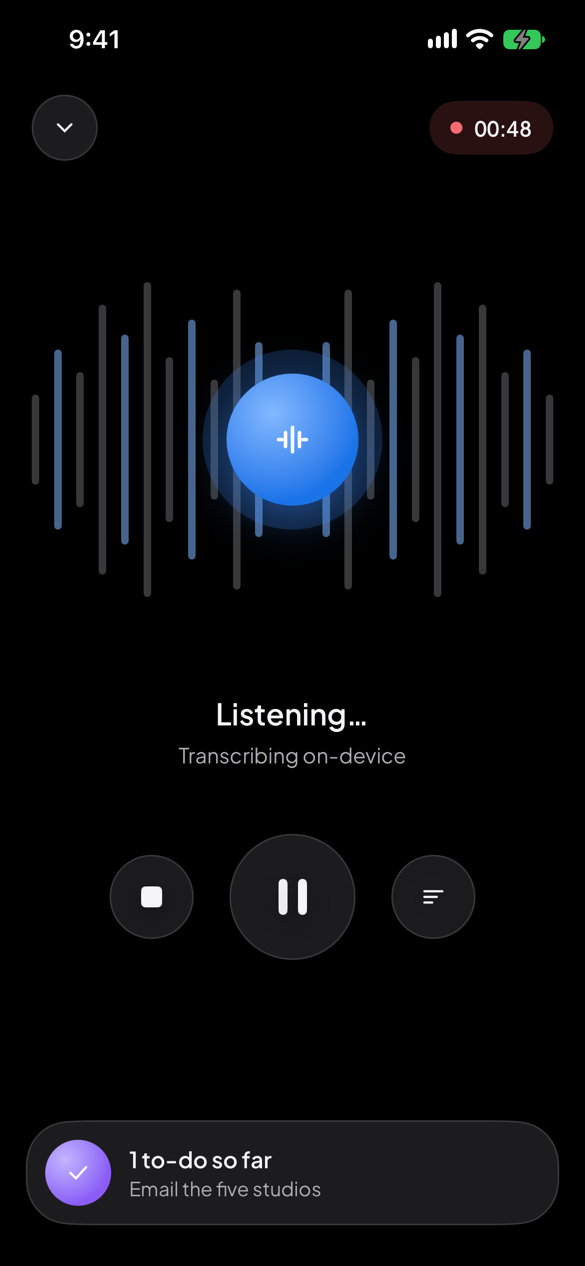
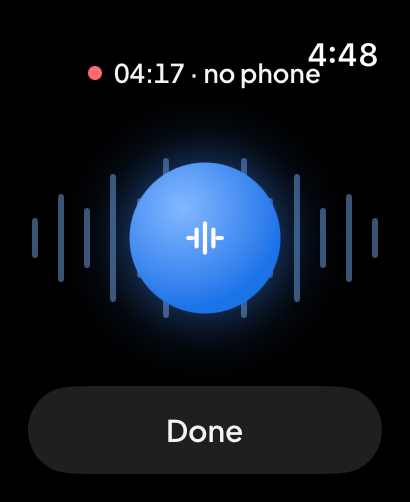
Tap your Watch, your phone or the menu bar on your Mac. Recording keeps going with the phone locked, the app in the background or the Watch screen asleep.
MySefa writes it down on your device, tells the voices apart and pulls out your to-dos, what others promised you, the people and the topics.
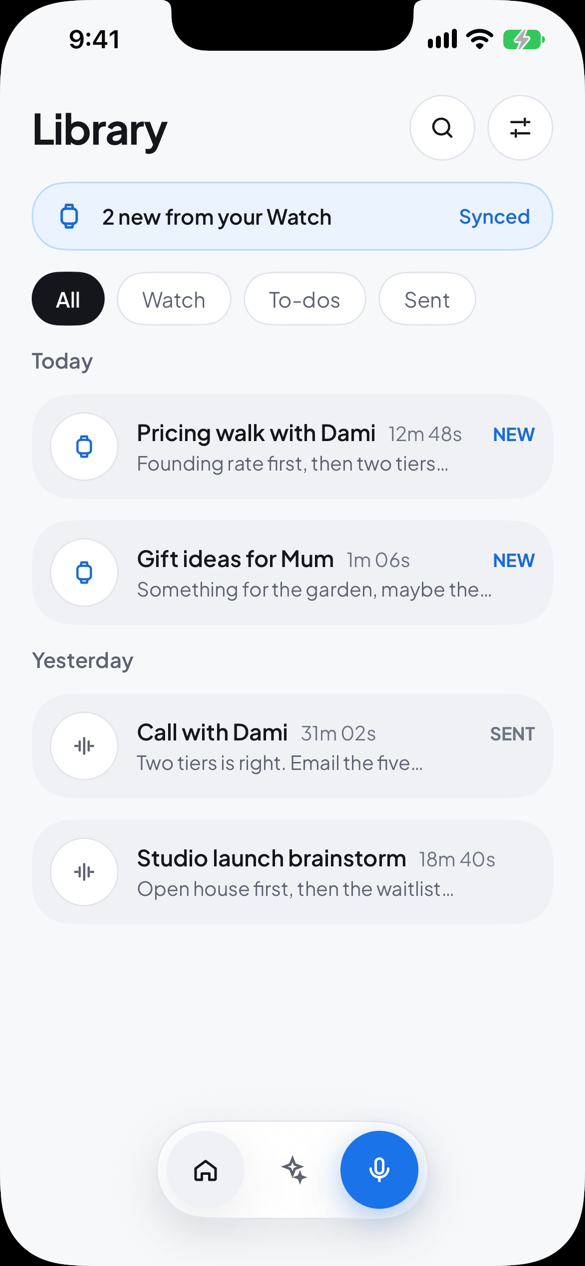
Ask your notes a question, or send a note to Claude, ChatGPT or Gemini as a ready-made prompt. Your to-dos land in Reminders.
Features
Audio is saved as you speak. Lock your phone, switch apps or lower your wrist: the note keeps going, and comes back after a crash.
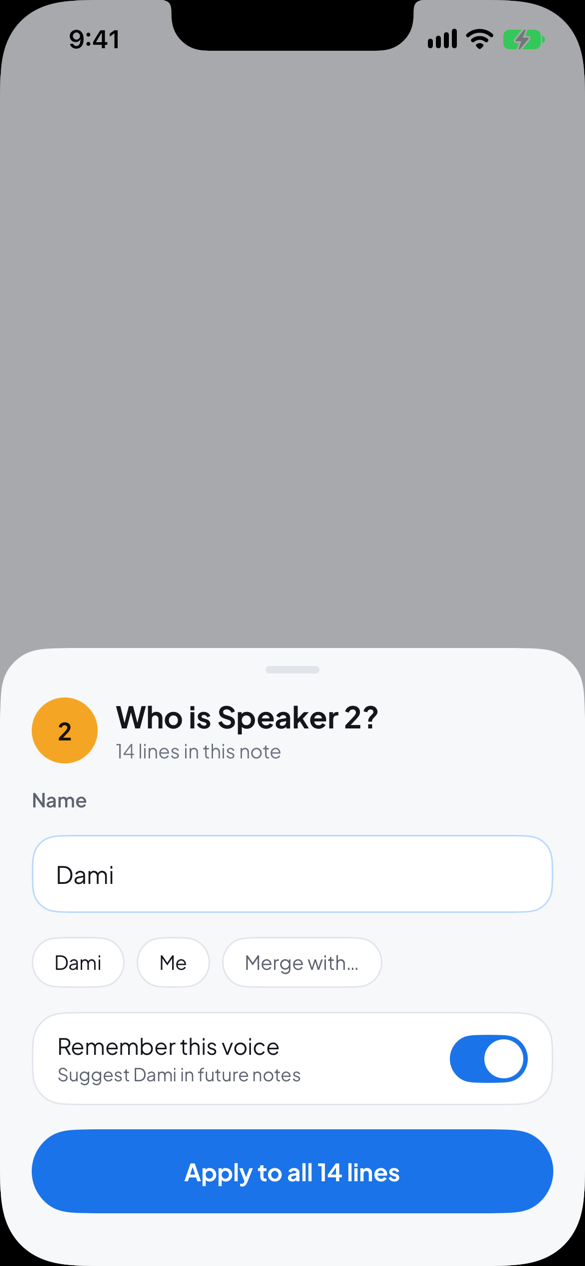
Voices are told apart on your device. Name someone once and MySefa recognises them next time — always asking before it applies a name.
Your to-dos, with the day you said. What others promised you sits in Waiting on, with a nudge when it's late. Today shows what's due.
Everyone you've named and every topic you keep coming back to, each with what's open, what you know and every note they're in.
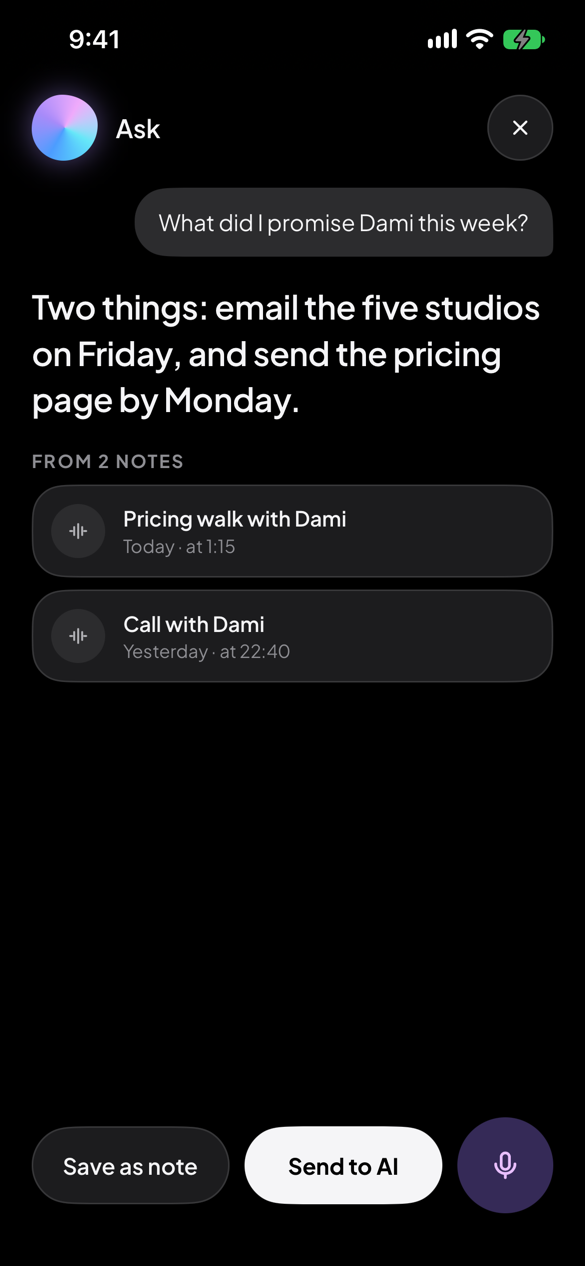
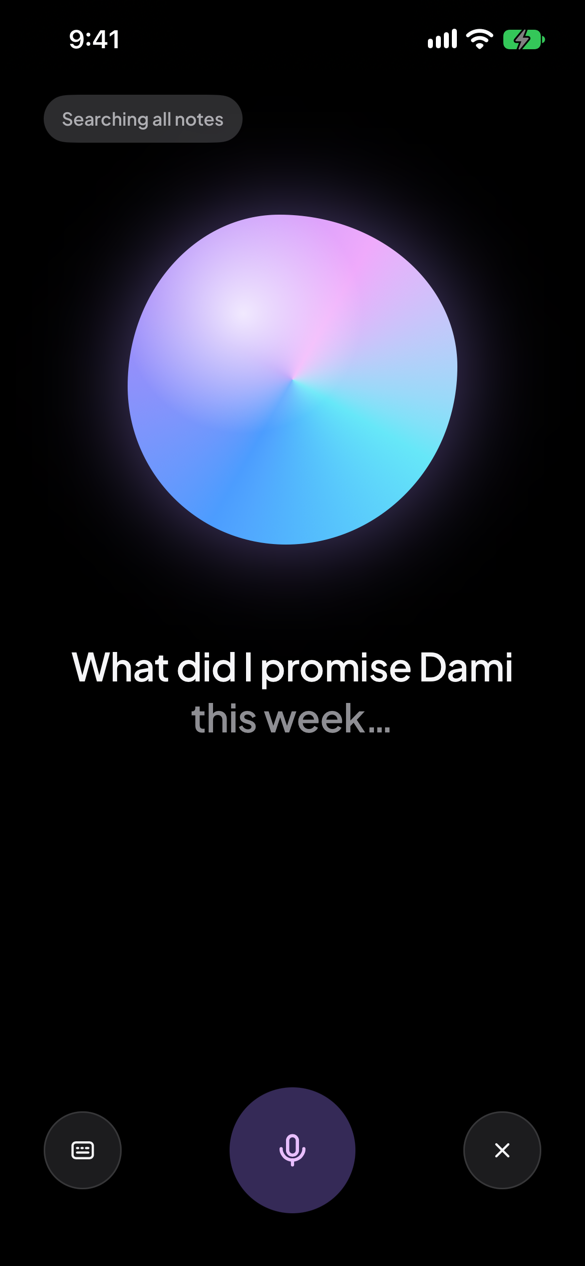
"What did I promise Dami this week?" Ask across every note by voice or text, on your phone, your Mac or your wrist.
When Zoom, Teams, Meet or FaceTime starts a call, MySefa offers to record both sides. Only the apps you allow, only while they're in a call.
A lifelong memory
Nothing in MySefa deletes itself. Old notes fade into Earlier and stay searchable. Every year is also kept as plain files in your iCloud Drive, readable without the app.
On your phone
Pricing
Every feature works free. Pick the AI that suits you.
Free
US$4.99 / month, or US$39.99 / year
1-week free trial for new subscribers, then US$4.99/month or US$39.99/year (or the local equivalent), billed to your Apple account. Renews automatically unless cancelled at least 24 hours before the period ends; cancel any time in your Apple ID's subscription settings. Terms · Privacy
To the people who forget,
We built MySefa because remembering is work, and the tools that offered to help wanted something in return: your audio on their servers, your notes in their cloud, a subscription between you and your own memory.
A memory should not have terms of service. So in MySefa, the transcript is made on your device, your notes live in your iCloud, and the yearly archive is plain files you could open in thirty years with no app at all.
Most tools are replaced. A memory is kept. We built MySefa to be kept.
— Sola, ACMINC
Questions
No. Recording, transcripts and speakers are free and on device. Summaries use Apple's on-device AI where your device supports it, your own AI key, or MySefa AI if you want ours.
Anything on iOS, iPadOS, watchOS or macOS 26: iPhone 11 or SE (2nd gen) and later, iPads with the A12 chip and later, Apple Watch Series 6, SE (2nd gen) or Ultra, and Macs with Apple silicon. Recording, on-device transcripts, who-said-what and sync work on every one of them. Apple's free on-device summaries need Apple Intelligence hardware — iPhone 15 Pro and later, any iPhone 16 or 17, M-series iPads and Macs. On older devices the same summaries and Ask come through your own key or MySefa AI instead, so nothing is missing.
The languages your device's Apple speech models support — ten at launch: English, Spanish, French, German, Italian, Portuguese, Chinese, Cantonese, Japanese and Korean, with more arriving in OS updates. MySefa follows your device automatically.
Yes. The Watch records on its own and catches up through iCloud. Your Mac and iPad keep everything too.
MySefa tells voices apart, and it reminds you to let people know you're recording. Recording laws differ by place; you're responsible for consent.
Only the text you ask about — a note's transcript, or your question and the notes needed to answer it — over an encrypted connection, with no account attached. It runs on Amazon Bedrock and isn't stored or used for training. Summaries are processed in Canada; Ask is currently processed in the United States. Your audio never leaves. With no subscription and no key, no note text leaves your devices and your iCloud. Full details.
They stay in your iCloud, and the yearly archive keeps plain Markdown files and audio you can open anywhere.
For iPhone, iPad, Apple Watch and Mac.
Download on the App StoreRequires iOS, iPadOS, watchOS or macOS 26.
Coming soon to the App Store.